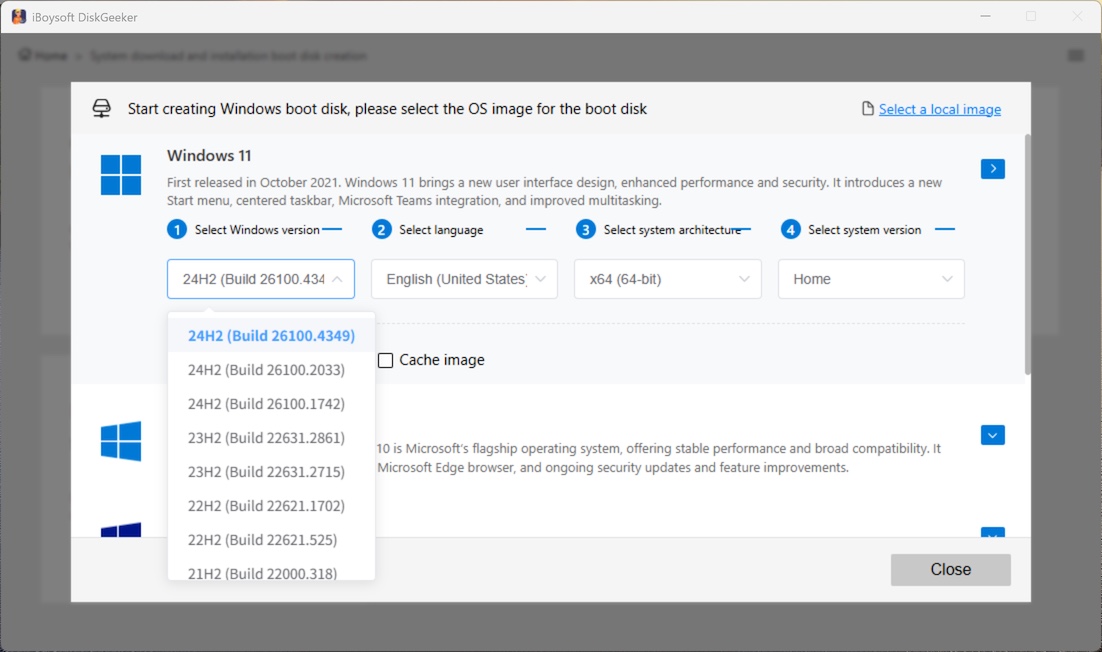
Browse Windows download guides by version, compare official and alternative sources, verify the integrity, create bootable USB installers quickly (with iBoysoft DiskGeeker for Windows), and install. All in one place.
Start with the Windows version you need. Each guide helps you:
Follow this Windows Vista download center to download the Windows Vista ISO 64-bit and 32-bit files for free. Learn how to install Windows Vista on a PC without a CD.
Directly download Windows 7 Home Premium and Windows 7 Home Basic from this Windows 7 Home edition download database.
Download the Windows 10 Pro ISO file (64-bit and 32-bit) full versions from this Windows 10 Professional ISO archive. Download Windows 10 Pro for USB creation.
Follow this Windows 10 Home ISO download center to get Windows 10 Home edition ISO 64-bit and 32-bit for free. Guide to create a Windows 10 Home bootable USB installer.
Follow this Tiny11 download guide to get official Tiny11 ISO files for free, including 25H2, 24H2, 23H2, and 22H2 editions. Learn how to create a Tiny11 ISO.
Free download Windows XP ISO 64-bit and 32-bit files from this Windows XP ISO download center. Learn the system requirements for Windows XP before installing it.
This Windows 8 ISO download database offers Windows 8 ISO files of 64-bit, 32-bit, and All-in-One for free. Also, you can follow it to create a bootable USB.
Follow this post to download the official Windows 10 ISO for free, 64-bit and 32-bit full versions included. Tips for creating a bootable Windows 10 USB drive.
This Windows ISO download center gives you complete download-to-install workflow. Everything is covered in one place-no missing steps, no guesswork.
Our pages are organized by Windows version so you can quickly find the download guide that matches your installation goal.
Each guide explains the available source option and clearly labels the source type for better transparency.
Verification methods are provided on each download page to ensure ISO files from alternative sources are intact, untampered, and match the expected checksum.
This download center is designed not only to help you find an installer, but also to help you move on to bootable USB creation with iBoysoft DiskGeeker for Windows.
In each guide, we offer detailed steps to install Windows with the bootable USB installer for a clean installation, system repair, system upgrade or downgrade, or more.
iBoysoft DiskGeeker for Windows helps you access additional download options for Windows 11, 10, 8, 7, and Server 2025, 2022, 2019 (and earlier) installers and automatically create bootable USB installers for installation or repair.
We prioritize official-source-first guidance where available. When the official options are unavailable, other source options are recommended. The source type is clearly labeled on the page.
It helps users access additional download options for Windows installers and quickly create bootable USB drives from downloaded files.
Yes. It is used here as the tool for turning downloaded Windows installer files into bootable USB media.
Many users do not only need to download Windows. They also need a practical way to use the downloaded ISO file for installation or repair. That is why bootable USB creation is part of this workflow.